

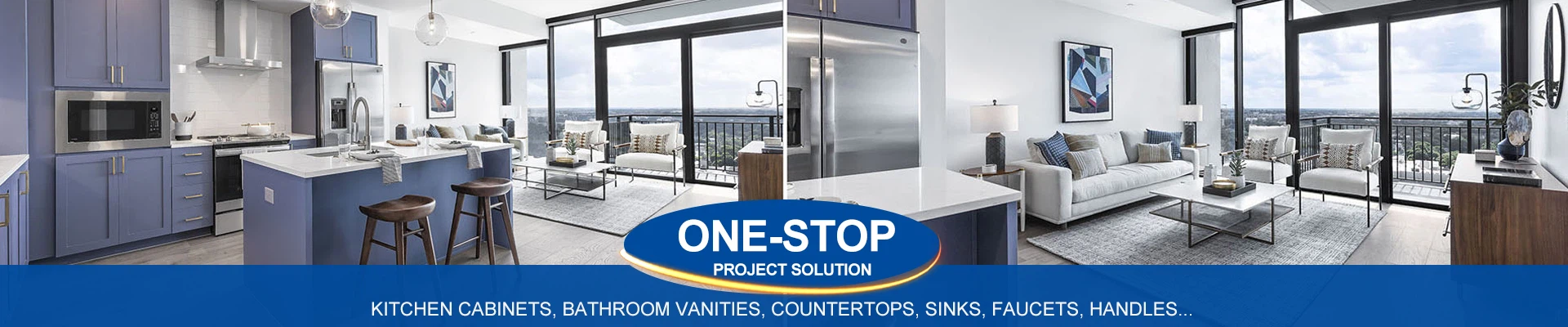
best kitchen cabinet design software
May 27, 2025
Leave a message
Best Kitchen Cabinet Design Software for 2024
Whether you're a DIY enthusiast, professional designer, or contractor, the right software can streamline your kitchen cabinet design process. Here are the top tools for creating layouts, 3D models, and realistic renderings:
1. SketchUp Pro (Paid)
Best For: Professionals and advanced users.
Features:
Precision 3D modeling with custom measurements.
Extensive library of pre-made cabinets, hardware, and materials.
Plugins for photorealistic renders (e.g., V-Ray).
Platform: Windows, macOS.
Price: $349/year (free web version available with limited features).
2. IKEA Kitchen Planner (Free)
Best For: DIYers using IKEA cabinets.
Features:
Drag-and-drop IKEA cabinets, appliances, and countertops.
3D visualization and instant price estimates.
Export shopping lists and floor plans.
Platform: Web-based.
3. Blender (Free)
Best For: Open-source enthusiasts and 3D modeling pros.
Features:
Advanced 3D modeling and rendering capabilities.
Custom textures and lighting effects.
Steep learning curve but highly versatile.
Platform: Windows, macOS, Linux.
4. Cabinet Vision (Paid)
Best For: Cabinet manufacturers and woodworking professionals.
Features:
Industry-standard software for detailed CAD/CAM designs.
Generates cut lists, CNC machine files, and blueprints.
Integrates with manufacturing workflows.
Platform: Windows.
Price: Custom quotes (contact vendor).
5. RoomSketcher (Freemium)
Best For: Quick, user-friendly designs.
Features:
2D/3D floor plans with pre-loaded cabinet models.
AR viewer to visualize designs in your space.
Premium plans ($49+/month) unlock HD renders.
Platform: Web, iOS, Android.
6. Autodesk Fusion 360 (Paid)
Best For: Engineers and advanced CAD users.
Features:
Parametric modeling for precision cabinet designs.
Cloud collaboration and CAM integration.
Platform: Windows, macOS.
Price: 70/monthor70/month or 70/monthor545/year.
7. SmartDraw (Paid)
Best For: Simple 2D layouts and floor plans.
Features:
Drag-and-drop templates for cabinets, islands, and appliances.
Export to PDF, PowerPoint, or Excel.
Platform: Web, Windows.
Price: $9.99/month.
8. Home Designer Suite (Paid)
Best For: Homeowners and DIYers.
Features:
Intuitive 3D modeling with cabinet libraries.
Cost estimation tools and material lists.
Platform: Windows, macOS.
Price: $99 (one-time purchase).
9. ProKitchen (Paid)
Best For: Professional kitchen designers.
Features:
Customizable cabinet designs with real-time pricing.
Integration with brands like Hafele and Blum.
Platform: Windows.
Price: $1,500+ (one-time license).
10. Planner 5D (Freemium)
Best For: Casual users and beginners.
Features:
Simple drag-and-drop interface with AR previews.
Premium plans ($6.99/month) remove watermarks.
Platform: Web, iOS, Android.
Key Features to Look For:
3D Rendering: Visualize designs in lifelike detail.
Cabinet Libraries: Pre-loaded models from top brands (IKEA, KraftMaid).
Measurement Tools: Ensure accurate scaling and spacing (e.g., 36" aisle width).
Collaboration: Share designs with contractors or clients.
Comparison Table
| Software | Best For | Price | 3D Rendering |
|---|---|---|---|
| SketchUp Pro | Professionals | $349/year | Yes (with plugins) |
| IKEA Planner | DIYers | Free | Basic 3D |
| Blender | Open-source pros | Free | Advanced |
| Cabinet Vision | Manufacturers | Custom | CAD/CAM |
| RoomSketcher | Quick designs | $49+/month | Yes |
Pro Tips:
Free Trials: Test SketchUp, Fusion 360, or ProKitchen before buying.
Measure Twice: Use a laser measure for precise room dimensions.
Layer Lighting: Add under-cabinet LEDs in renders for realism.
Final Recommendations:
Best Overall: SketchUp Pro (versatile for pros and serious DIYers).
Best Free Tool: IKEA Kitchen Planner (ideal for budget-friendly projects).
Best for Manufacturers: Cabinet Vision (industry-standard precision).
💡 Design Tip: Use soft-close drawer slides and full-extension hardware in your designs for a luxury feel!